How I found out my paper was for sale
I'm pretty fond of sharing. I love how the interwebs allow those of us in education to share what we learn and the connections we make. I'm fond of sharing this photo by Dave Duarte when I want to remind people of how great it can be to share.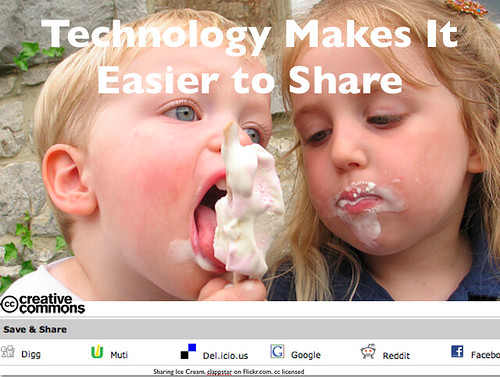
I especially feel like sharing on Thursdays - always a little busy - it's a day of standing kind of catch all meetings here in my space; I find that I end up touching base with everyone you work with and every little thing you're doing on some level.
It was definitely one of the busiest days of my week last week. I knew it would be so I woke up early to get started on an online event for educators planned for that night. Sometimes when I wake up early I am more leisurely with my attention because I feel I have more time to do so....
Made the mistake of checking my Google Alerts. I have tracked what I think most people would consider to be a lot of alerts and I have them filtered out of my inbox. I really only check them periodically.
One led me to this page. EDLT 571 - Holly Bemis-Schurtz (yes, they actually title the page with my name).
Wow, I thought. How did my action research paper from grad school back in 2005 end up on this website? It's showing up on this website. It's called Course Hero. According to their home page, this is where:
Let's pause for a second. I just said I like sharing, right? I'm sure I didn't publish it there. I also never visited the site for purposes of 'academic inquiry.' As an educator familiar with inquiry based learning methods, I actually don't see how the site is inquiry based.... but that's not the point.
- Students and Educators publish their educational content to a student readership of millions.
- Students immediately retrieve the most relevant document results for any academic inquiry.
Let me tell you more about this paper.
You're probably thinking, "Well, that poor judgment to put your work online." You should have protected it. Here's the thing. The only place I shared that file digitally was with my faculty member of the course in our course management system (at the time, WebCT).
So how did it get online to begin with?
I specifically remember the instructor asking me if she could share it with other students as an example - the course is intense, it made a lot of sense, and I was happy to share it with her. I also remember her assurances that she would only share it with fellow students. The best of intentions, right?
The fact that my professor explained she would allow only students to see it was reassuring because this is a particular type of research (action research) was about my classroom (at the time I was working as a middle school technology teacher) and involves student participation scores and discussion of my district's professional development practices. I was actually pretty proud of it, to tell you the truth. It was no magical evidence of me as an amazing teacher - it was just my first true research project and I learned a tremendous amount from it. I had presented the research at the school level and would end up presenting it at the Center for Teaching Excellence Action Research conference in 2006.
I had written the report for my EDLT 571 course which involved conducting action research and writing a complete study - I had taken all of the recommended confidentiality and validity measures which would make it appropriate to share at all. Results from action research are not meant to generalize out to a wider population and there was nothing particularly proving about my report except that it was true in my teaching situation and it had taught me a lot about my practice.
Emphasizing the fact that the 'best of intentions' were applied (how often is that true of what we do in education?). As far as I can tell it was online because the faculty member hosted it from her webpage on the university web server. There was an existing Google result from our university's webserver - as late as Friday, I could pull up a cache of the page. The instructor had a basic website and she had it linked to her page.
I never made a decision to share my paper. I did not give permission for it to be shared outside of the course participants which means it should have been behind a password.
So here's where we are so far.
- I did not give permission for the report to be shared with the public.
- The research involves the scores of students in a K12 classroom. I am a novice researcher. I feel it is inappropriate given my experience level and the nature of the research to post it.
- Course Hero sells a subscription to the site to gain access to my paper.
Yes. The site offers a 'free' login with Facebook opportunity. I'm not sure how much access you get for 'free.' I know that the actual price of a membership is about $6 a month.
What I did next
I shared what I found on Course Hero with my Twitter and Friendfeed followers.
One quickly reported he also found his own work on the site. I received some helpful suggestions about licensing my report through Creative Commons.
My day on Thursday ended up being every bit as busy as I expected. I would check periodically and notice that I was still getting responses from my network - but despite my direct request (see screenshot below) no one from Course Hero contacted me, even though they do have a Twitter account (@CourseHeroes).

Because I was so busy on Thursday it gave me lots of time to think - I was able to locate classmates' papers from that same class (EDLT 571 on Course Hero). I found other faculty members' course materials from our university. It became clear to me that this was going to be more complicated than just the issue of my paper alone. It also gave folks in my network a chance to share with me some of the conversations they had heard about or seen that related to Course Hero.
The people I'm connected to are not the only ones talking about Course Hero. One of the items shared with me was a discussion on a higher ed listserv mentioning that it appears Course Hero has 'harvested' materials from edu sites for inclusion in their content. I don't know how you determine this, but a couple of the Twitter responses I received alluded to this as well.
Some of the discussion about course hero reflects the possibility that this kind of posting could reflect poorly on me. Could it be misunderstood that I could have sold my paper to Course Hero for a profit? Could it reflect on me negatively as someone who would contribute to a 'pay to plagiarize' system? Fortunately, I'm aware of the papers existance on the site and I can take action. What about those who do not realize their work is there. As a Google result, how does this affect their resume? These are a few of the questions that have gone through my mind since finding out.
The company paints a very different picture of how materials get there. If you believe the explanation offered in this Inside Higher Ed article on Course Hero by the company themselves, all content is shared by users. I find it hard to believe this particular faculty member would have shared her course resources to a site that would charge her students for them.
At this point in time I am investigating all of my legal options.
First, I found my original Word document of the report and I have licensed it with creative commons.
I am working on connecting with the faculty members whose work I have found on the site. I have also spent quite a bit of time reviewing the Copyright Notice on the Course Hero website. It's clear I need to proceed carefully with respect to my options, but my intention is absolutely to file a claim of copyright infringement.
Lecture Notes, Active Participation, and Student Understanding in a Sixth Grade Technology Classroom by Holly R. Bemis-Schurtz is licensed under a Creative Commons Attribution-Noncommercial-No Derivative Works 3.0 United States License. Permissions beyond the scope of this license may be available at http://hollyrae.pbworks.com/lecture-notes.

What you can do to protect your work and that of your students
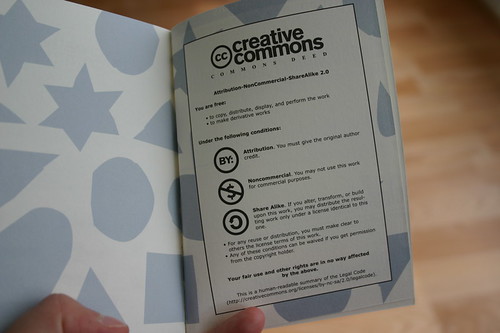
What I would like to do is help folks integrate a share-friendly culture without jeopardizing their work and that of their students. For me, it's not so much about plagiarism (although that is an issue), but more about responsible use of student work.
If you (as a faculty member or instructor) ask someone to share something, you have an obligation to recommend a process that can protect your students work from something like this. It's becoming more common that students publish work outside of a course management system, as they might in an electronic portfolio, blog or wiki.
Whether it is a research paper, thesis, dissertation, photo, presentation or really anything created that will be shared online as part of a scholarly activity, the very best thing that can happen is for the originator to self select and register an appropriate Creative Commons license for the work.
So where can you start?
Upgrade your background knowledge on Creative Commons with these helpful articles.
- 7 Things You Should Know About Creative Commons from Educause
- Why You Should License Your Work Through Creative Commons from Plagiarism Today
Creative Commons For Educators
View more presentations from Jessicacoates.
If you do want to share your curriculum, notes and or other educational materials - consider the repercussions of sharing them in an unlicensed way. One way around this is to consider contributing them to the Open Educational Resources (OER) Commons, where conditions of use can clearly be set and your materials are hosted at a location that will continue to be open and free.
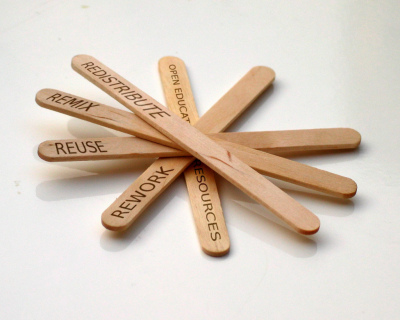 Image from Recyclethis on Flickr // CC License
Recommendations
I can now see where a course which requires any kind of publishing should integrate the licensing and attribution of works into their curriculum. An awareness of what the Creative Commons licensing marks can hope to signal students who know it to remember, "Hey, look - this work is licensed, and it's easy to know if I can share it and under what conditions. I can even attribute it easily."
Here's a few steps I would recommend for creating a share-friendly culture in your classroom or teaching experience. These would be appropriate for when your students are finding media or publishing their own.
Orient your students to Creative Commons
And of course... don't forget how I found this paper.
Utilize your Google Alerts
Both you and your students need to maintain an awareness of your online persona. This is a rather complex task, but a simple step toward it is understanding and utilizing Google Alerts.
These are incredibly easy to set up and can be used in multiple ways.
Think broadly. Some of my Google Alerts include:
So many uses of technology in education are well intentioned and unfortunately put students online persona in jeopardy or risk. Please learn from my experience and talk about this topic with the educators and faculty that you work with. I look forward to tweeting an enthusiastic update that the interwebs have helped me set this all straight.
As an addendum, here are some of the posts or resources I have aggregated in the process of researching this.
I can now see where a course which requires any kind of publishing should integrate the licensing and attribution of works into their curriculum. An awareness of what the Creative Commons licensing marks can hope to signal students who know it to remember, "Hey, look - this work is licensed, and it's easy to know if I can share it and under what conditions. I can even attribute it easily."
Here's a few steps I would recommend for creating a share-friendly culture in your classroom or teaching experience. These would be appropriate for when your students are finding media or publishing their own.
Orient your students to Creative Commons
- How can you find media (images, music, etc) there?
- What does each license mean?
- How can I attribute something I find on Creative Commons?
(actually very easy, newer licenses even have an embed code)
- Don't ask for a copy to share with your other students - instead request the student decide on an appropriate license, post and share the link with you.
- Show the students how to create a license and embed the metadata in their digital work.
And of course... don't forget how I found this paper.
Utilize your Google Alerts
Both you and your students need to maintain an awareness of your online persona. This is a rather complex task, but a simple step toward it is understanding and utilizing Google Alerts.
These are incredibly easy to set up and can be used in multiple ways.
Think broadly. Some of my Google Alerts include:
- my name and about 3 variations of it
- my email accounts
- my institution
- URLs I am watching
- somewhat obscure topics I am following
- titles of works you have published
- mentions of your social media presences (your Twitter name) etc.
So many uses of technology in education are well intentioned and unfortunately put students online persona in jeopardy or risk. Please learn from my experience and talk about this topic with the educators and faculty that you work with. I look forward to tweeting an enthusiastic update that the interwebs have helped me set this all straight.
As an addendum, here are some of the posts or resources I have aggregated in the process of researching this.





